Here’s Why It Happens and Exactly How to Fix It Before the Tax Department Comes Knocking (2026)
Salary vs AIS Mismatch in ITR 2026: Reasons, Risks & Step-by-Step Solutions
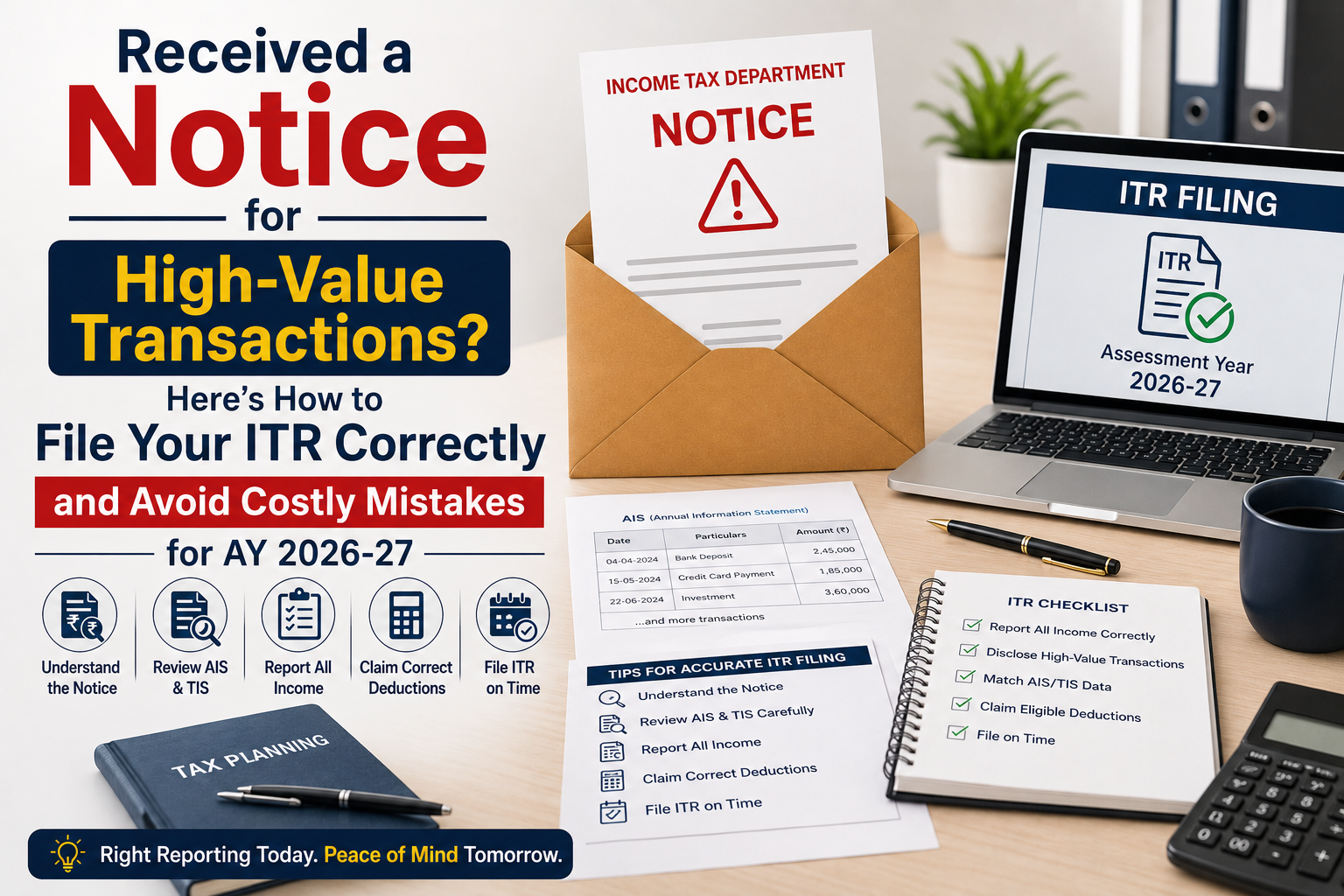
You filed your Income Tax Return confidently and then the refund just didn’t come. Or worse, a notice arrived asking you to explain why the salary reported in your ITR does not match the figures in your Annual Information Statement (AIS). If you are a salaried taxpayer in India, a salary vs AIS mismatch is one of the most common and most avoidable reasons your ITR gets flagged, your refund gets delayed, or a formal income tax scrutiny notice lands in your inbox.
The AIS, introduced by the Income Tax Department under Section 285BB, consolidates data from multiple sources: your employer’s TDS returns (Form 24Q), banks, mutual funds, and even foreign remittances. When the income you declare in your ITR doesn’t align with what the AIS shows, the system triggers an alert automatically. In AY 2026-27, with AI-driven matching now deeply integrated into the income tax portal at incometax.gov.in, even minor salary vs AIS mismatches are getting picked up faster than ever before.
The good news: every mismatch has a reason, and every reason has a fix. This guide breaks it all down.
What Is the AIS and Why Does Salary vs AIS Mismatch Occur?
The Annual Information Statement (AIS) is a comprehensive financial snapshot that the Income Tax Department generates for every taxpayer. Unlike the older Form 26AS which primarily captured TDS and TCS data the AIS captures a far wider range of transactions, including salary, interest income, dividends, mutual fund transactions, foreign remittances, and more.
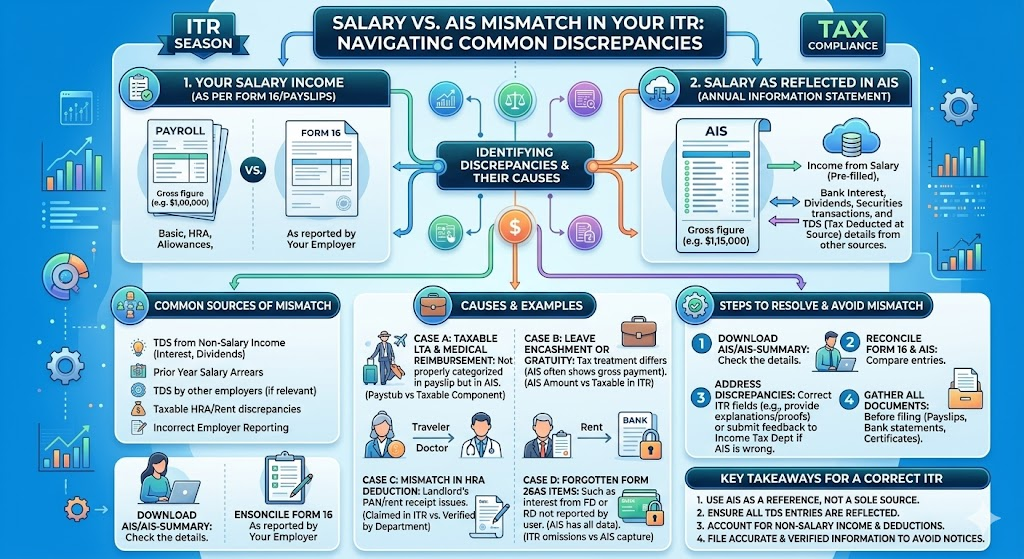
A salary vs AIS mismatch in ITR typically occurs when there is a gap between:
- The salary figure reported by your employer in their TDS returns (Form 24Q) which flows into your AIS
- The salary income you declare in your ITR based on your Form 16 or salary slips
- Or when multiple employers in the same year report salary figures that do not reconcile with each other or with what you have declared
Understanding the exact cause of the mismatch is the first and most critical step. Read our detailed guide on Form 26AS vs AIS vs TIS: Key Differences & How to Match Them Before Filing ITR for a complete primer on how these three documents interact.
The 7 Most Common Reasons for Salary vs AIS Mismatch : and How to Fix Each
| Common Mismatch Reason | Likely Root Cause | Quick Fix |
| Employer filed incorrect TDS return (Form 24Q) | Wrong salary or TDS figure submitted by employer to TRACES | Request employer to file a TDS correction statement immediately |
| Job change mid-year: two Form 16s not reconciled | Both employers report salary separately; taxpayer adds them incorrectly | Add both salary components; verify AIS reflects both TDS credits |
| Perquisites/allowances excluded from ITR | Employer includes all taxable perks in Form 24Q; taxpayer omits them | Include all taxable components per Form 16 Part B in your ITR |
| AIS shows salary but Form 16 figure is lower | Employer may not have updated revised TDS return after increments/bonuses | Reconcile with salary slips; raise feedback on AIS portal if data is wrong |
| TDS deducted but not deposited by employer | Employer deducted TDS but failed to deposit to government it appears in salary but not in TDS credit | File ITR; follow up with employer; raise grievance on TRACES if needed |
| AIS shows excess salary due to data duplication | TRACES data entry error or duplicate reporting by employer | Submit feedback on incometax.gov.in AIS portal mark as ‘Duplicate / Incorrect’ |
| Previous year arrears included in AIS | Employer included arrears received in FY 2025-26 but attributable to earlier years | Claim relief under Section 89(1); file Form 10E before filing ITR |
How to Use the AIS Feedback Feature to Dispute a Salary Mismatch
One of the most powerful and underused tools available to taxpayers is the AIS Feedback mechanism on the income tax portal. If the salary figure in your AIS is incorrect, you do not have to simply accept it and file a potentially wrong ITR.
Here’s how to submit an AIS mismatch correction:
- Log in to incometax.gov.in : Navigate to the AIS/TIS section under ‘Services’. Download your AIS for FY 2025-26.
- Identify the specific entry with the mismatch: Under the ‘Salary’ section of AIS, locate the entry that does not match your Form 16 or salary records.
- Click ‘Feedback’ against the incorrect entry: Select the appropriate reason: ‘Income is not as per source’, ‘Income is for a different year’, ‘Duplicate information’, or ‘Denied — not my income’.
- Submit with supporting details: Briefly explain the discrepancy. The portal records your feedback and updates your Taxpayer Information Summary (TIS), which is the adjusted figure used as a reference for your ITR.
- File your ITR based on the correct TIS figure: Once you’ve submitted feedback, the TIS gets updated. File your ITR aligned with the correct, verified figures not the original incorrect AIS entry.
Important: Submitting AIS feedback does not automatically change the underlying data the original AIS still shows the employer’s reported figure. What changes is the TIS, which is your curated, taxpayer-revised view of income. The Income Tax Department uses both when assessing your return.
What Happens If You File ITR Without Fixing a Salary vs AIS Mismatch?
This is where many salaried taxpayers make a costly mistake. Filing your ITR with figures that differ from the AIS without submitting feedback explaining the discrepancy places your return in a high-risk zone for the following consequences:
- Defective return notice under Section 139(9) : requiring you to resubmit the ITR within 15 days
- Income tax scrutiny notice under Section 143(2) where the Assessing Officer formally examines your return
- ITR refund delay : your refund gets held pending AIS reconciliation by the CPC (Centralised Processing Centre)
- Demand notice under Section 156 : if the department independently computes a higher income and raises a tax demand
- Penalty under Section 270A : for under-reporting or misreporting income, ranging from 50% to 200% of the tax on the under-reported amount
Read our detailed guide on ITR Refund Delay 2026: Why It’s Late, How to Check Status & Escalate It to understand why AIS mismatches are among the top causes of refund delays.
Read our detailed guide on Income Tax Notice Time Limit 2026 to understand how long the department can pursue a mismatch case.
Expert Insight
Dr. Haresh Adwani, senior chartered accountant and co-founder of Adwani & Co LLP, advises every salaried client to treat AIS reconciliation as a mandatory pre-filing step — not an afterthought. In his experience, over 60% of ITR refund delays handled by the firm each year trace back to unresolved AIS discrepancies that could have been corrected in under 30 minutes before filing.“Your AIS is the Income Tax Department’s version of your financial year. Before you file your ITR, make sure your version and theirs are telling the same story.”
Pre-Filing AIS Checklist: How Smart Taxpayers Avoid Salary Mismatch Issues
Adopting a structured pre-filing review process is the single most effective way to prevent salary vs AIS mismatch in ITR. Here is the checklist used by tax professionals before filing returns for their clients:
- Download Form 16 (Part A and Part B) from your employer this is your authoritative salary document
- Download your AIS and TIS from incometax.gov.in under the ‘Services’ tab
- Cross-check: Salary in Form 16 Part B ↔ Salary in AIS ↔ What you plan to declare in ITR
- Cross-check: TDS deducted per Form 16 Part A ↔ TDS credit shown in Form 26AS ↔ TDS in AIS
- For job-changers: ensure both Form 16s are in hand; check that both employers’ TDS is reflected in your AIS
- For arrears recipients: verify if Section 89(1) relief applies and file Form 10E before filing ITR
- Submit AIS feedback for any incorrect entries before filing do not file first and fix later
- Use the ITR pre-fill feature on the portal carefully pre-filled data comes from AIS, which may itself have errors
Read our detailed guide on How to File ITR Online 2026: Step-by-Step Guide for Salaried & Freelancers for a complete walkthrough with the AIS reconciliation step built in.
Learn more about our ITR Filing & Notice Response Service for expert-assisted, AIS-verified ITR filing.
Key TakeawayS
What Every Salaried Taxpayer Must Know About Salary vs AIS Mismatch
- The AIS on incometax.gov.in captures salary data directly from your employer’s TDS returns it may differ from your Form 16 if the employer filed incorrect TDS returns.
- A salary vs AIS mismatch in ITR is one of the top causes of income tax notices, refund delays, and defective return flags in AY 2026-27.
- The AIS Feedback feature allows you to dispute incorrect entries online always submit feedback before filing your ITR, not after.
- Job changers and arrears recipients face the highest mismatch risk reconcile both Form 16s and consider Section 89(1) relief where applicable.
- Filing your ITR with the correct, reconciled figures even if they differ from an incorrect AIS entry is legally sound, provided you have documented evidence and submitted AIS feedback.
The Taxpayer Information Summary (TIS) is the adjusted AIS figure after your feedback always cross-check TIS before final ITR submission.
Frequently Asked Questions
Q1. What should I do if my salary in AIS is higher than my Form 16?
First, verify whether the difference relates to unreported perquisites, allowances, or arrears that your employer included in their TDS return. If the AIS figure is genuinely incorrect, submit an ‘Income is not as per source’ feedback on the AIS portal before filing your ITR.
Q2. Can I file my ITR with the Form 16 figure even if AIS shows a different salary amount?
Yes you should always file based on the correct, documented figure from your Form 16 and salary records. However, you must also submit AIS feedback explaining the discrepancy; otherwise, the mismatch may trigger a notice or refund delay.
Q3. Will a salary vs AIS mismatch automatically delay my income tax refund?
Yes, it often does. The CPC (Centralised Processing Centre) puts AIS-unmatched returns on hold for reconciliation before processing refunds. Resolving the mismatch before filing is the only reliable way to prevent this.
Q4. What if my employer has deducted TDS but it’s not showing in my AIS or Form 26AS?
This typically means your employer deducted TDS but either filed an incorrect TDS return or failed to deposit the tax. Raise the issue with your employer’s payroll/finance team to file a TDS correction statement; you can also raise a grievance on the TRACES portal.
Q5. How does the Income Tax Department detect salary vs AIS mismatch automatically?
The Income Tax Department’s AI-powered Centralised Processing Centre cross-checks the income declared in your ITR against the AIS data sourced from your employer’s Form 24Q filings. Any variance beyond an internal threshold triggers an alert which may result in a defective return notice or scrutiny.
Conclusion:
A salary vs AIS mismatch in ITR is not an insurmountable problem it is a solvable one, provided you address it before hitting the ‘Submit’ button on your return. The Income Tax Department’s AIS portal gives you the tools to verify, dispute, and correct your data. What it cannot do for you is the 30-minute reconciliation exercise that separates a smooth ITR filing from a notice-driven nightmare.
In AY 2026-27, with AI-backed matching and a strengthened faceless assessment framework, the margin for unaddressed mismatches has all but disappeared. Treat AIS reconciliation as Step Zero of your ITR filing process not an optional extra.
About the Author
Dr. Haresh Adwani
Ph.D. in Commerce | Law Graduate | Managing Partner, Adwani & Co LLP Dr. Haresh Adwani holds a Ph.D. in Commerce and is a qualified Law graduate with over two decades of hands-on experience in GST advisory, direct taxation, and statutory compliance for businesses across